


InfiMaker K1 – 5-Axis CNC | VIP Deposit
InfiMaker K1 – 5-Axis CNC | VIP Deposit
Couldn't load pickup availability
 1-Year Warranty
 30-Days Returns
 Secure Payment
 24/7 Support




FAQs
I’m new to CNC—what does a CNC machine do, and what can I make with InfiMaker K1?
CNC stands for Computer Numerical Control, technology that uses pre-programmed computer software to automate machine tools, turning a digital design into a physical part with precision and repeatability. 5-axis means the cutting tool and workpiece can move and rotate across 5 different directions at once, 3 linear axes plus 2 rotational axes, instead of being limited to just 3.
InfiMaker K1 supports full simultaneous 5-axis machining, cutting complex geometry, curved surfaces, and undercuts without constantly flipping or re-fixturing the workpiece. It's also multi-material capable, equipped with a 6-slot automatic tool changer, and InfiStudio's AI-assisted workflow to easily turn your designs into precision finished parts.
Who is InfiMaker K1 designed for?
InfiMaker K1 is built for anyone who believes ideas shouldn't be limited by the tools available to bring them to life, create without limits, whether that's independent engineers, product designers, robotics and hardware teams, jewelry and watchmaking workshops, prototyping studios, educators, advanced makers, or small custom-manufacturing businesses that need compact multi-axis capability.
Why use CNC instead of only 3D printing or outsourcing?
3D printing is great for fast form-and-fit prototypes, but it has real limits: visible layer lines, weaker mechanical strength along certain directions, and materials that can't handle real-world heat or load the way machined metal can. 5-axis CNC cuts from solid stock instead of building up layers, so you get functional parts with tighter tolerances, smoother surface finish, and real mechanical strength that 3D printing generally can't match. The 5-axis capability also means it can reach angled faces, undercuts, and complex geometry in a single setup, geometry that would need supports, multiple print orientations, or just isn't achievable with a 3D printer at all.
Do I actually need 5-axis machining?
5-axis CNC lets you machine multiple faces of a complex part in a single setup. By combining the standard X, Y, Z linear axes with 2 rotational axes moving together, it can accurately produce complex molds, multi-surface parts, and deep-cavity components, without the cumulative error that comes from repeatedly re-fixturing on a 3-axis machine. Think precision molds, high-end mechanical components, bicycle components, fishing tackle parts, or any part where multiple faces need to line up precisely with each other.
Is InfiMaker K1 suitable for first-time CNC users?
Yes. InfiMaker K1 is built so a complete beginner can go from idea to finished part without needing deep CAM knowledge. You don't need to manually swap tools mid-job — the machine handles tool changes on its own. Just upload your model, or generate one from text or an image. Scan the QR code on your material and K1 automatically detects the workpiece type and size — or you can select it yourself. From there, the software generates the toolpath automatically, and all that's left is hitting start. The whole process is simple and straightforward, with none of the complexity that usually comes with learning CNC.
Is InfiMaker K1 really a desktop machine?
Desktop refers to the machine's compact, space-efficient design, small enough to fit on a regular workbench, worktable, or in a personal workshop, rather than requiring a dedicated industrial floor. InfiMaker K1 is a compact, precision CNC machining system built to bring true simultaneous 5-axis capability, normally found only in industrial machines, into that same small, desktop-friendly footprint.
What are the travel and usable workpiece sizes?
The InfiMaker K1 offers different workpiece capacities depending on the machining mode:
- 5-axis machining: up to 120 × 120 × 120 mm
- 3+2 axis machining: up to 170 × 150 × 150 mm
- 3-axis machining: up to 220 × 150 × 150 mm
- Maximum worktable load capacity: 15 kg.
Is K1 a true simultaneous 5-axis CNC machine, or does it only support 3+2 machining?
True simultaneous 5-axis, all axes can move together in real time. InfiMaker K1 also supports 3-axis and 3+2 workflows for simpler jobs. This flexibility means you're not locked into one approach: use full 5-axis motion for complex geometry and angled faces, or drop down to a simpler setup when the part doesn't need it.
Does InfiMaker K1 support automatic tool changing? How many tools can the tool library hold?
Yes, K1 supports automatic tool changing (ATC). It has 6 stations total: 5 tool slots plus 1 probe slot. That means K1 automatically switches between cutting tools and the probe mid-job, no manual swaps required. Most machines in this category only support automatic tool switching, not automatic switching between tools and the probe, K1 does both.
What materials can an InfiMaker K1 machine use?
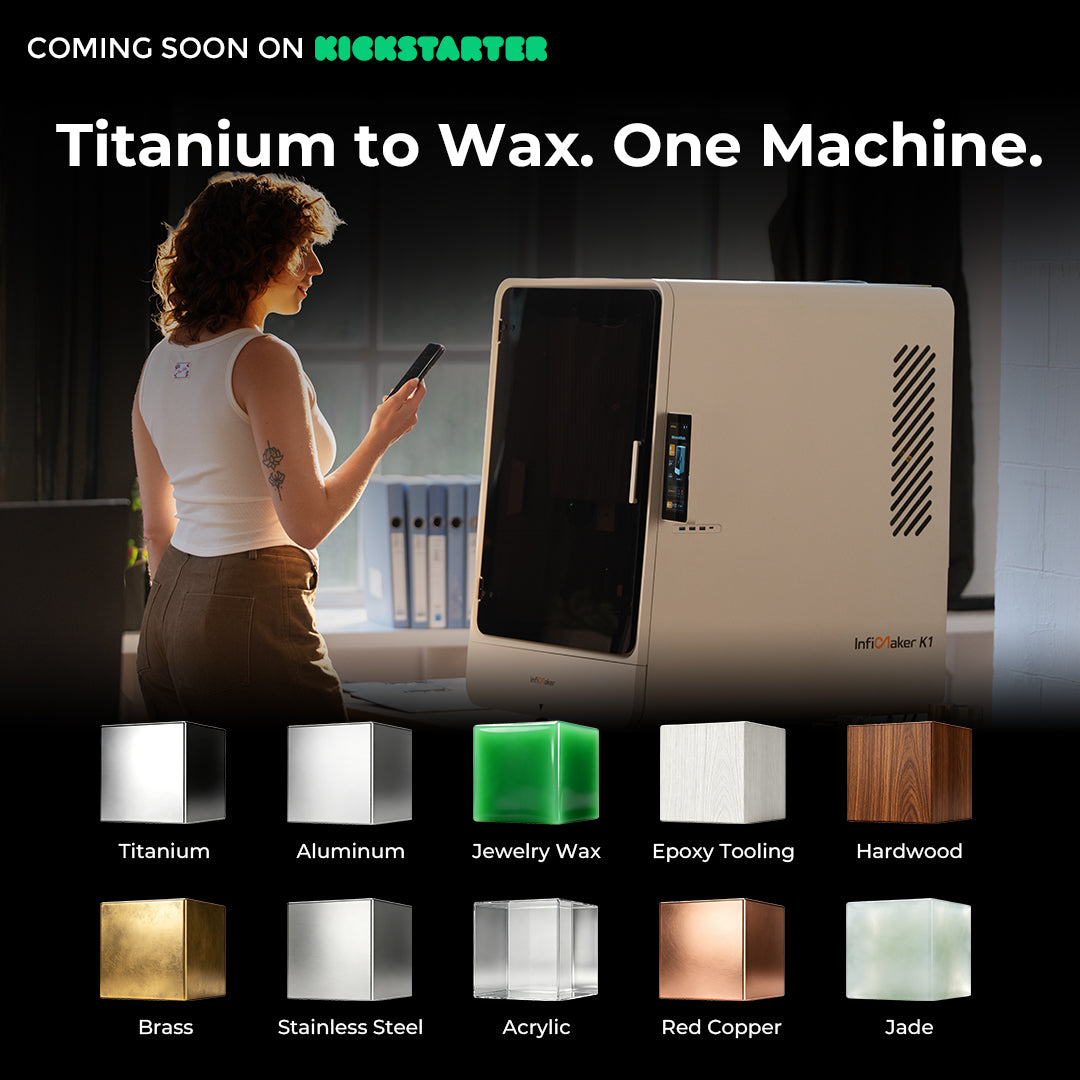
InfiMaker K1 works with a wide range of materials, including aluminum, brass, copper, steel, titanium, wood, acrylic, wax, jade, resin, engineering plastics, and composites. Actual results depend on the specific material, tooling, and process settings, harder materials like steel and titanium require the correct tooling and parameters to machine properly.
Does the InfiMaker K1 come assembled?
Yes! The K1 comes assembled right out of the box. Just follow the setup guide to power it on, complete a few basic installation steps, and you'll be ready to start your first job in no time.
How long can InfiMaker K1 run continuously?
Continuous operating time depends on material, spindle load, coolant condition, tool life, chip evacuation, ambient temperature, and the programmed cycle.
What is InfiStudio and does it do?
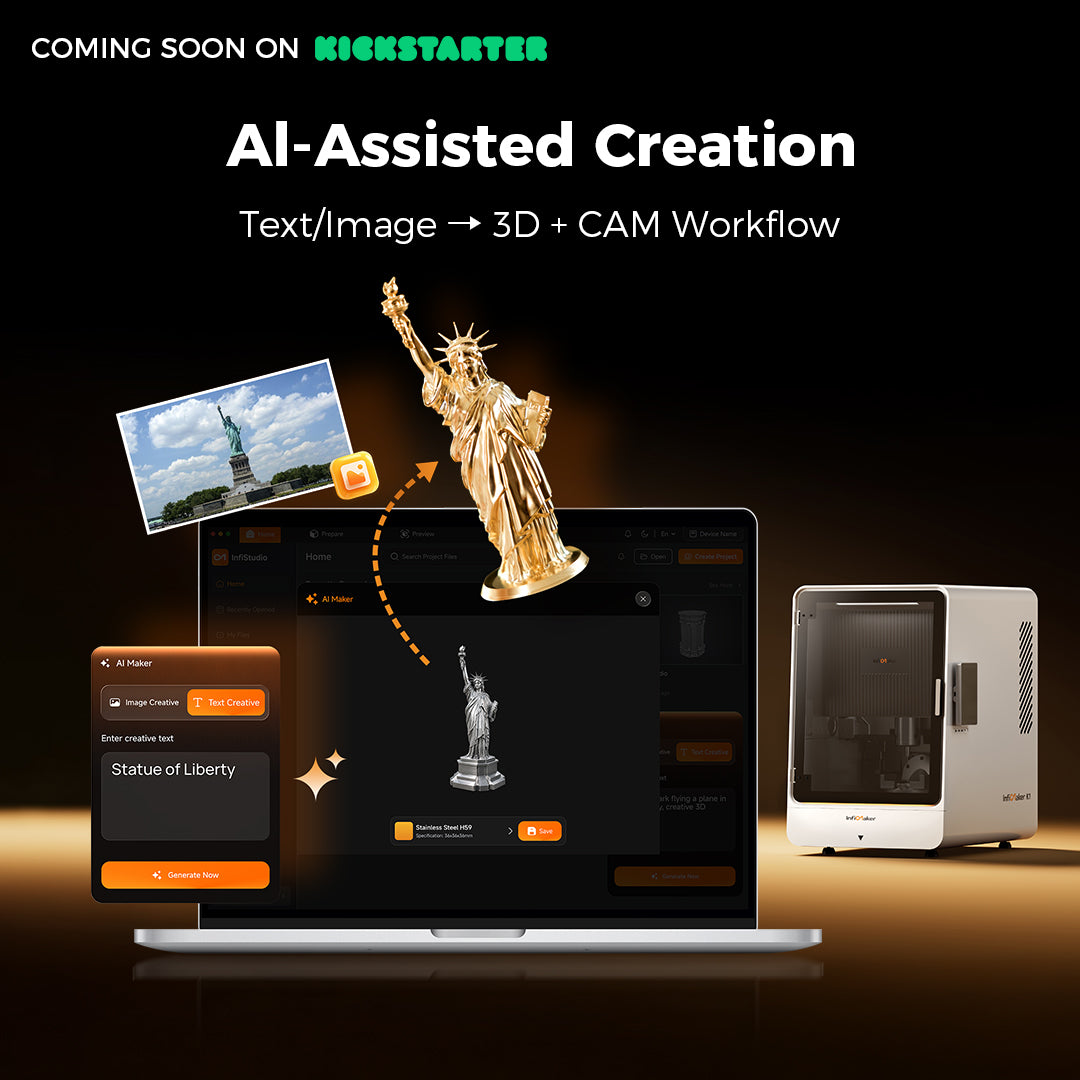
InfiStudio is K1's built-in CAM software, the program that turns your design into instructions the machine can actually cut, and it supports both Windows and macOS. Instead of needing separate, expensive CAM software and years of experience to plan toolpaths, InfiStudio handles that for you: it can generate a machinable model from text or an image, automatically recommends toolpaths, feeds, speeds, tool selection, and cutting sequence based on your material and part, and lets you review and adjust everything before running the job, so you always stay in control of the final result.
Does InfiStudio require a subscription? Is InfiStudio free?
No, InfiStudio doesn't require a subscription. For Kickstarter backers, the version of InfiStudio included with K1 at time of delivery comes with free usage rights, this is an exclusive benefit for campaign supporters. Non-campaign users and any new features introduced after delivery are not included in this free access.
Do I need modeling or CAD experience?
No. InfiStudio CAM has a built-in AI generation feature — you can describe the shape you want in text, or upload a reference image, and let AI help generate a 3D model, significantly lowering the barrier to entry. For complex structures, we recommend a quick preview check and orientation adjustment after generation to ensure machinability.
What file formats does InfiStudio CAM support for import?
InfiStudio CAM supports mainstream 3D file formats, including STL, STEP(STP), and OBJ — covering export formats from most modeling software.
Can I use toolpaths generated by Fusion 360, UG/NX, or PowerMill?
InfiMaker K1 machines use the standard G-code protocol. If you're already familiar with professional CAM software such as Fusion 360, UG/NX, or PowerMill, you can directly import G-code files generated by these tools for machining — no need to use our software exclusively. We also provide the machine's command set specifications and configuration reference, so experienced users can integrate and customize on their own.
Does it include cutting simulation? Can it prevent collisions?
Yes. InfiStudio CAM has a built-in cutting simulation module that lets you preview the full toolpath and material removal process before machining, and automatically flags potential collision risk areas. Before actual machining, please always verify the tool, fixture, and workpiece setup, and follow proper safety procedures.
Can InfiStudio automatically generate simultaneous five-axis toolpaths?
Yes. InfiStudio can automatically generate simultaneous 5-axis toolpaths.
What kind of help does InfiStudio's AI actually provide?
The AI-assisted features are built into InfiStudio, InfiMaker K1's companion software, to make the whole process easier, from design to finished part. It covers five areas:
- AI Text-to-Model / Image-to-Model — describe a part or upload a picture, and AI generates a machinable 3D model for you.
- Automatic Process Parameter Matching — AI matches feeds, speeds, and toolpaths to the material and part, so you're not manually calculating cutting parameters.
- AI Workpiece Scanning — scan the material and AI automatically identifies its size and type, no manual input needed. This feature currently only supports InfiMaker's official materials, which come with a QR code for recognition, non-official materials without a QR code can't be identified this way.
- AI Remote Monitoring— AI watches the job in real time and flags risks like tool crashes before they turn into a ruined part.
- AI Time-Lapse Video — AI automatically edits your build footage into a highlight reel, so you get a shareable clip without touching an editor.
As an assistant, AI helps you skip the manual CAM work, cuts down setup time, and catches risks before they ruin a part.
How does remote control work? Do I need to be on the same network?
No, you don't need to be on the same network. Once your device is set up and bound during initial network configuration, you can check machining progress, camera feed, and device status in real time from your phone or computer, anywhere. Key events like job completion or error alerts are pushed instantly, so you always know what's happening without staying by the machine.
Does InfiStudio require an internet connection to operate?
No, the core machining process doesn't require an internet connection. That said, some InfiStudio features are limited when offline. For example, AI model generation and certain AI-assisted toolpath features do require an internet connection to work.
What cooling system does InfiMaker K1 use?
InfiMaker K1 uses InfiFlow™ (High-Pressure Coolant System), a water circulation-based high-pressure coolant system using distilled water as the cooling medium. This keeps cutting temperatures in check in real time, which significantly improves cutting efficiency on hard metals, extends tool life, and helps maintain a consistent surface finish during long continuous machining runs. Clean distilled water is pumped to nozzles near the spindle to cool the tool and flush away chips, then filtered and recirculated back into the tank. Compared to large industrial flood coolant systems, this setup is more compact, quieter, and lower-maintenance, better suited for desktop use.
What is the input voltage of the InfiMaker K1?
InfiMaker K1 supports 110V–240V input, so it works with standard power in both North America and regions using 220–240V, no separate converter needed.
How noisy is InfiMaker K1 while cutting metal?
Under our test conditions, the measured noise level was below 70 dB. This result was obtained while machining stainless steel using a D4 round-nose end mill with a spindle speed of 10,000 RPM, a feed rate of 2,000 mm/min, a 0.1 mm depth of cut, and 4 mm row spacing. The measurement was taken 1 meter away from the machine in an open space. Please note that this noise level was measured under a specific material and machining process. In actual use, noise can vary significantly depending on the material being machined, the cutting parameters, the tooling, and especially the toolpath design.
When will the campaign launch?
We're planning to launch the campaign in August.
What is the VIP deposit, and is it refundable?
The InfiMaker K1 Super Early Bird price starts at $5,199. Put down a $50 VIP deposit, and you unlock an extra $200 off, bringing your price to $4,999 — the lowest we're offering. The deposit is fully refundable, and if you change your mind, it'll be refunded within 14 days after the campaign ends.
When will InfiMaker K1 ship, and what will shipping cost?
As for shipping, we're targeting within 3 months after the campaign ends to get units out to backers. Final shipping windows and costs — including freight, duties, taxes, and any remote-area surcharges — will be broken out by country closer to launch so everyone has clear, accurate numbers before committing.
What warranty, support, and spare-parts service are included?
We provide full remote after-sales support for InfiMaker K1 — including software log analysis, remote diagnostics, spare parts shipping, and step-by-step guidance. If you ever run into questions about tool changes, machine setup, or day-to-day operation, our technical team is there to help you work through it remotely. We'll share the full warranty terms and spare-parts policy closer to launch.
What is Kickstarter?
Kickstarter is the world's largest crowdfunding platform for creative projects. Over 10 million people have backed projects on Kickstarter, getting innovative products at significant discounts. You won't be charged until the campaign successfully concludes.
What if I change my mind after placing the deposit?
service@infimaker.com from the address used to place your deposit, and we'll process your full refund within 7 business days.
Why do I need to use the same email for the deposit and Kickstarter order?
We match your Kickstarter email against your deposit email to confirm eligibility and process your refund and bonus correctly. Using the same email ensures nothing gets missed.
